NAS Storage for Shared Files & Backup
Network attached storage gives an office one central, protected place for its files. VOWTECH supplies and configures NAS systems for businesses in Abu Dhabi, Dubai and across the UAE — with shared folders, user permissions, snapshots and backup set up so the data is both easy to reach and hard to lose.
One Place for Company Files, Reached Over the Network
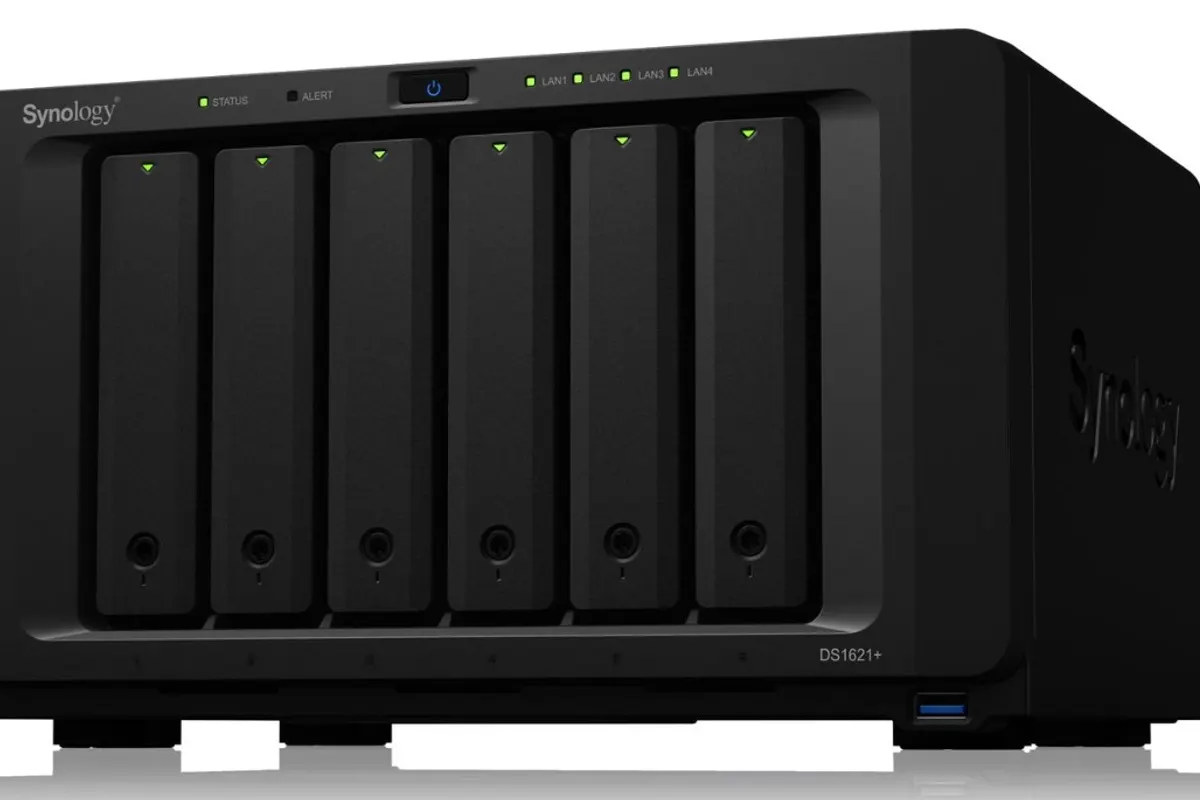
A NAS is a storage appliance that plugs into your network and presents shared folders to computers, much as a file server would. It holds several drives working together, so a single drive failure does not take the data with it. For offices whose main need is shared documents, drawings, media or backups, it is often the simplest sound answer.
NAS shares files; it does not provide the raw block storage that virtualisation clusters and heavy databases expect. That is the job of SAN storage, covered on its own page. Knowing which one you need saves money: many small and medium offices are well served by a NAS.
Out of the box, a NAS is an empty box with an admin password. VOWTECH turns it into a working system: the right drives and RAID level, a folder structure that mirrors your departments, permissions tied to user accounts, and a backup plan that keeps a copy somewhere other than the NAS itself.
Three Jobs a NAS Does Well
One unit can do all three, though larger setups often keep backup on a separate device from live files.
Central File Sharing
Department and project folders that staff open from Windows or Mac as ordinary network drives, with access decided by user group instead of by who has the USB stick.
Backup Repository
A destination for scheduled backups of PCs, servers and virtual machines, holding versions over time so that yesterday or last month can be restored.
Large-File & Archive Storage
High-capacity storage for design files, video, scanned records and completed projects that must be kept but no longer need to sit on working computers.
NAS Supply, Configuration & Protection
What turns a storage appliance into a dependable company file system.
Capacity & RAID Planning
We estimate current data and growth, then choose bay count, drive size and a RAID level that balances usable space with tolerance for drive failure.
Supply & Installation
The unit is supplied with NAS-rated drives, updated, connected to the network on a fixed address and placed on a UPS so that a power cut cannot corrupt a volume.
Shares, Users & Permissions
Folder structure and access groups are agreed with you and built on the NAS, linked to your existing directory accounts where you have them.
Snapshots & Versioning
Scheduled snapshots let a file or folder be rolled back to an earlier point, which is valuable after accidental overwrites and ransomware encryption.
Off-Site Replication
Data is replicated to a second NAS at another site or to cloud storage, so fire, theft or a failed unit does not mean the only copy is gone.
Hardening & Remote Access
Default accounts and unused services are disabled, and outside access is provided through a VPN instead of exposing the NAS directly to the internet.
From Scattered Files to One Organised Store
The migration is planned so staff find their files where they expect them on day one.
Data Review
We find where files live today, how much there is and who needs access to what.
Sizing & Proposal
You receive a recommended unit, drive layout, folder plan and backup approach.
Install & Configure
Volumes, shares, permissions, snapshots and alerts are configured and tested.
Data Migration
Files are copied across, checked, and staff drives are mapped to the new locations.
Handover
A restore is demonstrated, your administrator is briefed and documentation is handed over.
Why Offices Move to a NAS
Practical gains that show up in the first weeks.
One Source of Truth
Everyone works from the same folders instead of emailing copies and guessing which version is current.
Access by Role
HR, finance and management folders are visible only to the people who should see them.
Mistakes Are Reversible
Snapshots and versioned backups let deleted or overwritten files be brought back.
Simple to Run
A NAS needs less administration than a full server and has low power and space demands.
NAS Storage Questions
What is the difference between NAS and SAN storage?
If the NAS has RAID, do we still need a backup?
Can staff reach the NAS from outside the office?
Should we use a NAS or cloud storage?
Related Services
SAN Storage
Block storage networks for virtualisation clusters and databases.
Learn moreManaged Storage
Monitoring, capacity management and upkeep of your storage systems.
Learn moreData Storage Solutions
An overview of storage options and how to choose between them.
Learn moreBackup & Data Protection
Backup design, scheduling and restore testing for business data.
Learn moreTower Servers
When the office needs applications and user management as well as files.
Learn moreCloud Solutions UAE
Microsoft 365, private cloud and cloud backup for UAE businesses.
Learn moreReady to Bring Your Files
Into One Safe Place?
Tell us roughly how much data you have and how many people use it. We will recommend a NAS, set it up and move your files across.